Tuning Zellij
Recently I had a chance to give Zellij another try. I’ve always enjoyed the idea of the multiplexer… but it was not enticing enough to go through configuration - which is even more true if you take alternatives like Tmux into account ;) .
What those tools actually do, why are they worthwhile? They allow running multiple terminal sessions at once and make navigating between them a breeze. You split your screen into panes, create tabs etc - and thus you can work with multiple apps at once. What’s even cooler - you can save those sessions and restore those later on. This way you can get back to your work exactly where you left it. You can even run the multiplexer on remote server to which you connect via ssh - and thus you can delegate your work to a device you can access from multiple places.
Zellij has always seemed like a good introduction to those tools - it has sane defaults and the UI helps to get you going if you’re a novice.
But it has some drawbacks:
- the bars where you get status and hints take quite a bit of place… and there are 2 of them
- borders around panes are also not very space efficient
- some shortcuts create conflicts with popular apps like Neovim
- you’re too often reminded that you’re using Zellij ;)
This meant I knew I have to do some tweaks - otherwise I wouldn’t use it often as it would annoy me a bit.
Here’s an approximation of the default look:
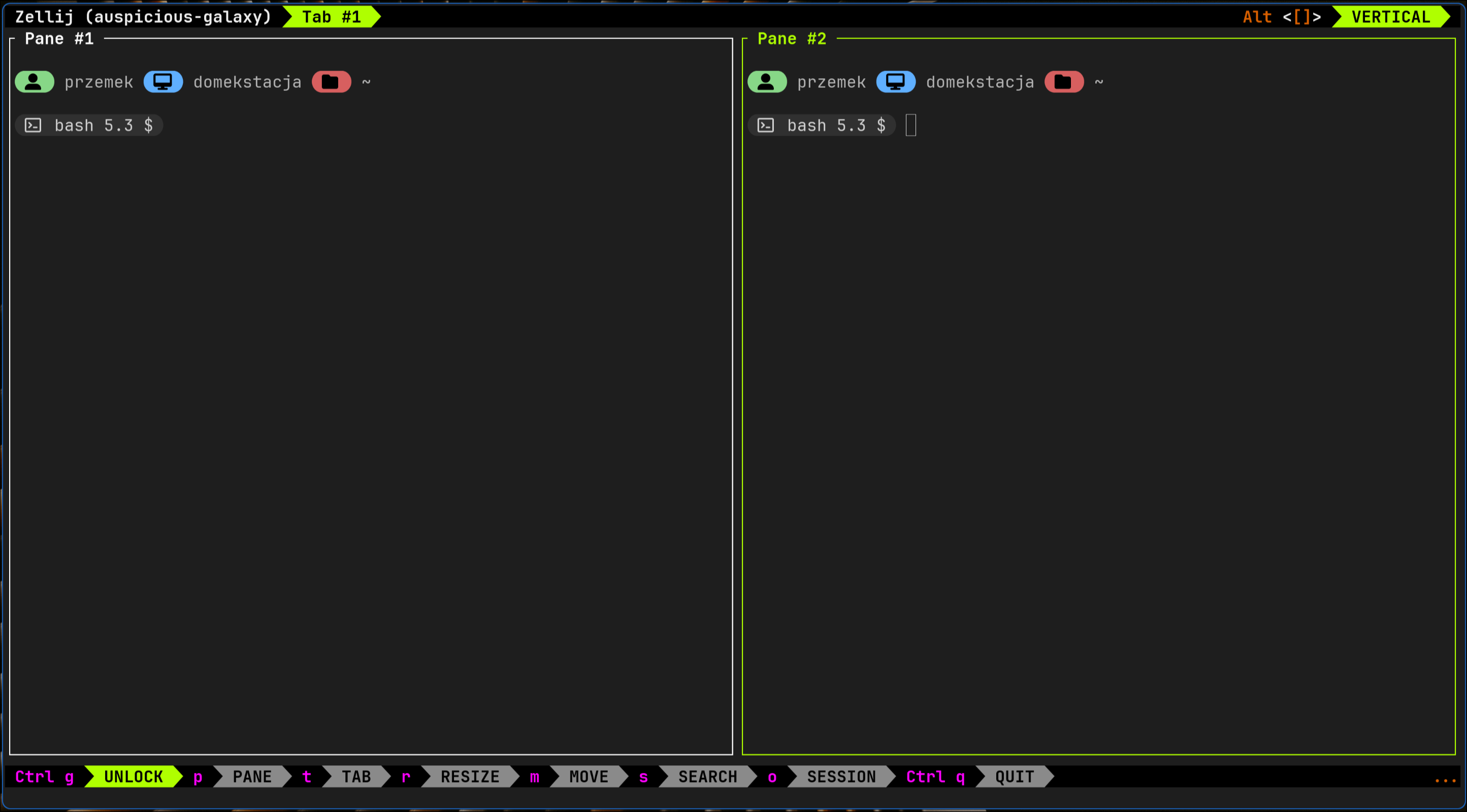
Keyboard shortcuts
Most of the keyboard shortcut issues can be solved by switching to “Unlock First” mode - which makes some of those active only after you unlock the menu. This can be done from within the app itself:

You can also tweak the config file located at $HOME/.config/zellij/config.kdl, by adding default_mode "locked".
Tweaking the config file is also a way to solve other potential conflicts. For me it was also the perfect time to add extra shortcut in keybinds, locked section that would toggle pane fullscreen mode:
bind "Ctrl Shift f" { ToggleFocusFullscreen; SwitchToMode "locked"; }
Layout optimization
Initially I though that simply enabling compact mode would suffice - sadly for me it didn’t. You get rid of the top bar this way, but the remaining bottom, compact bar has limited functionality… and also it contains this useless info about running Zellij ;) .
So for the solution I’ve added 2 plugins:
https://github.com/dj95/zjstatus
https://github.com/b0o/zjstatus-hints
Files for those were uploaded to $HOME/.config/zellij/plugins/ - and I’ve added entries that auto load them into config file (config.kdl).
Next I’ve worked on custom layout that uses those. It was also a way to get rid of frame border around main pane - in which I planned to run NeoVim. So the first attempt at custom layout looked like this:
layout {
pane split_direction="vertical" {
pane size="75%" name="code" borderless=true
pane name="terminal"
}
pane size=1 borderless=true {
plugin location="zjstatus" {
format_left "#[fg=black,bg=#707070,bold]{mode}"
format_center "#[bg=#303030]{pipe_zjstatus_hints}"
format_right "#[bg=#303030]{tabs}#[fg=white,bg=#303030] {session} "
format_space "#[bg=#303030]"
border_enabled "false"
mode_normal "#[fg=black,bg=#98c379] {name} #[fg=#98c379,bg=#303030]"
mode_locked "#[fg=black,bg=#707070,bold] {name} #[fg=#707070,bg=#303030] unlock with ctrl+g"
mode_resize "#[fg=black,bg=#89B4FA] {name} "
mode_pane "#[fg=black,bg=#89B4FA] {name} "
mode_tab "#[fg=black,bg=#89B4FA] {name} "
mode_scroll "#[fg=black,bg=#89B4FA] {name} "
mode_enter_search "#[fg=black,bg=#89B4FA] {name} "
mode_search "#[fg=black,bg=#89B4FA] {name} "
mode_rename_tab "#[fg=black,bg=#89B4FA] {name} "
mode_rename_pane "#[fg=black,bg=#89B4FA] {name} "
mode_session "#[fg=black,bg=#89B4FA] {name} "
mode_move "#[fg=black,bg=#89B4FA] {name} "
mode_prompt "#[fg=black,bg=#89B4FA] {name} "
mode_tmux "#[fg=black,bg=#ffc387] {name} "
pipe_zjstatus_hints_format "#[bg=#303030]{output}"
tab_normal "#[fg=#6C7086,bg=#303030] {name} "
tab_active "#[fg=#9399B2,bg=#303030,bold] {name} "
}
}
}
And this is how it looks in action:
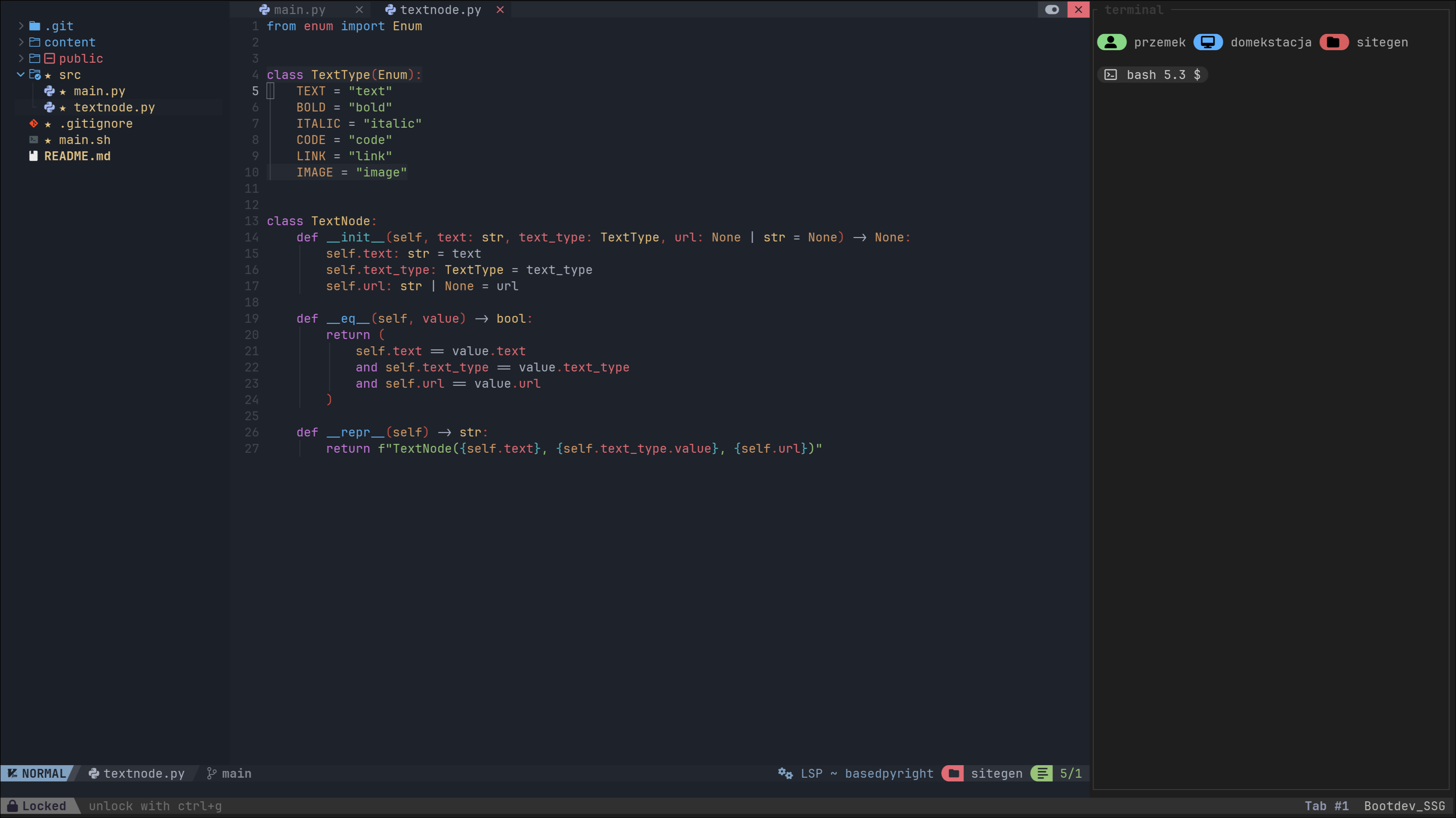
I’ll probably do some more tweaks - but this seems like a good starting point for future layouts designed for some other specific tasks.
I’ve also tweaked color scheme a bit to make the remaining borders less obnoxious.
Working with Zellij
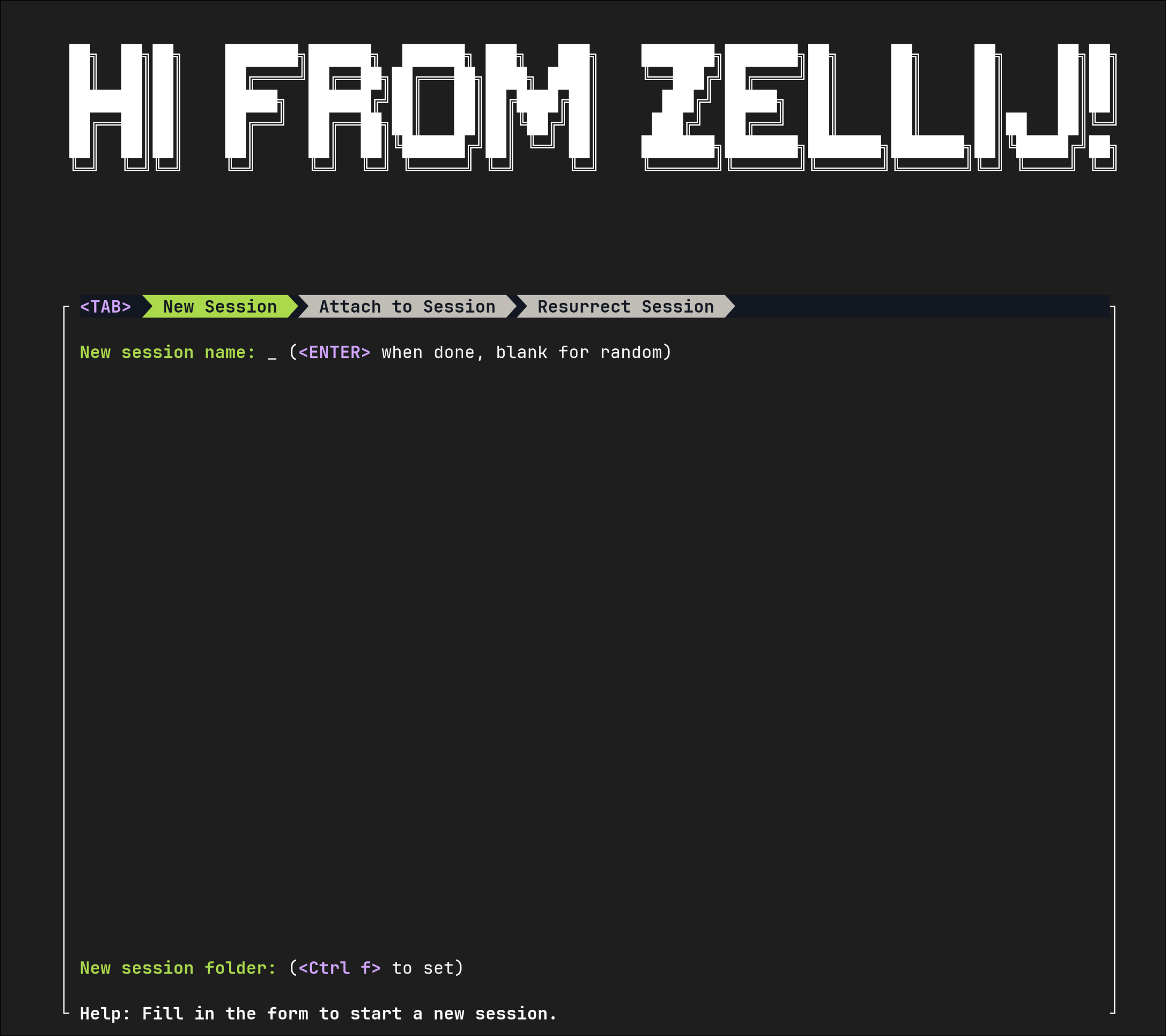
At the point of writing my main use case of using Zellij is programming related tasks in the terminal. I often start the project with the help of welcome screen invoked with:
zellij -l welcome
In its menu I’m able to configure new session (including layout and session folder) or resurrect one of the previous ones.
Multiplexer has also turned out awesome when I’ve been playing with Docker Swarm - it made previewing contents of cluster nodes super easy.
I’ll need to investigate using Zellij in remote sessions a bit more. It seems like a super powerful feature. Having a device I could access from almost anywhere (especially with the help of Netbird / Tailscale), with all my tools, libs and session set up - that sounds sweet :) .